
Campus-wide communication and emergency alerts your students and staff will actually see.
Designed with education safeguarding in mind. Control who publishes content, what appears on screen, and where it's displayed.
We can get important information onto screens quickly and share it across campus without the delays of traditional noticeboards.
LiveSpace is easy for our team to manage and gives us the flexibility to control different screens and content across the campus.
The screens have given us a much better way to communicate with students and visitors while also showcasing the work happening across the college.
Schools, colleges and universities all share one challenge: a lot of people, moving through a lot of space, who need the right information at the right moment. Below we answer the questions education leaders most often ask us about digital signage for schools UK wide, and about the larger systems universities and colleges run. The answers are written in plain language, with no sales jargon.
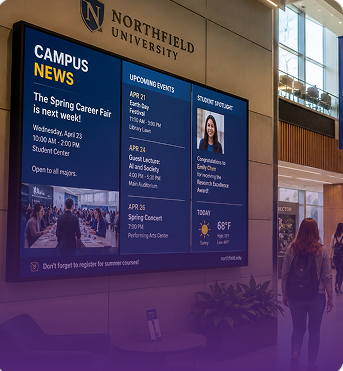
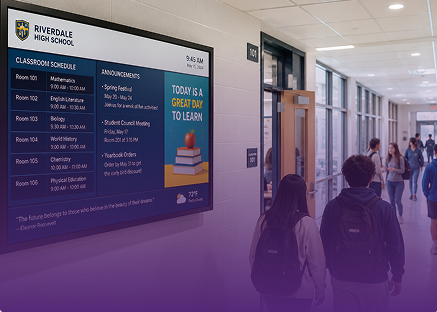
At its simplest, it replaces paper. School digital notice boards UK teachers and office staff update through LiveSpace show today's timetable changes, room moves, club sign ups, lunch menus and reminders for parents. The difference from a printed board is that every screen across the site changes at once, and old messages disappear on their own.
Education digital signage UK schools use also works as a celebration space. School announcement display screens can show student achievements, sports results, artwork and house points, which is often the part pupils notice most. Digital screens for school corridors UK schools install are usually the first step, because that is where the whole school passes every day.
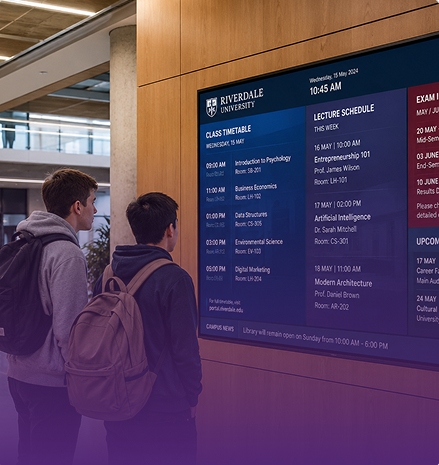
Yes, and the scale is different. A university estate may cover several campuses, dozens of buildings and thousands of students and staff. Campus communication software UK universities choose has to let a central team control brand and safety messaging while giving individual faculties or departments their own screens to manage.
LiveSpace handles that with user permissions. The marketing team owns the main entrance screens, the library manages its own, and the students' union runs theirs, all within one platform. Digital signage for colleges UK and digital signage for academies UK trusts adopt work the same way, with a central trust view and local control at each school.
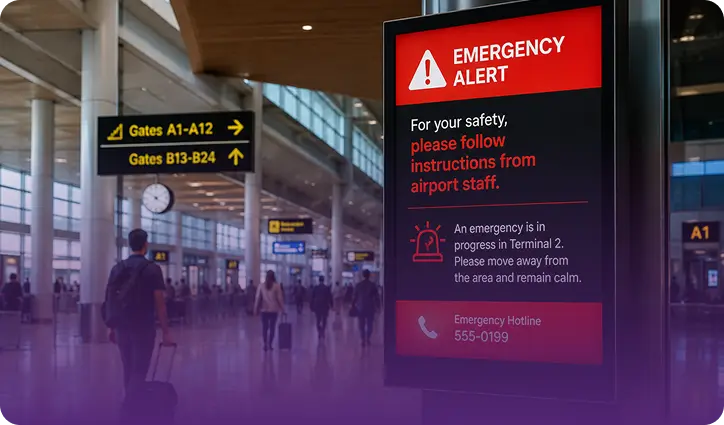
Day to day, student information display screens carry scheduled content: events, deadlines, transport updates and welfare messages. When something urgent happens, the system needs to behave differently. Emergency alert systems for schools UK safeguarding leads rely on must override every screen instantly with clear instructions, such as lockdown, evacuation or a site closure.
In LiveSpace, an authorised member of staff triggers the alert from a laptop or phone, every display switches at once, and normal content returns when the alert is cleared. University digital communication screens can also target a single building or the whole estate, depending on what the situation needs.
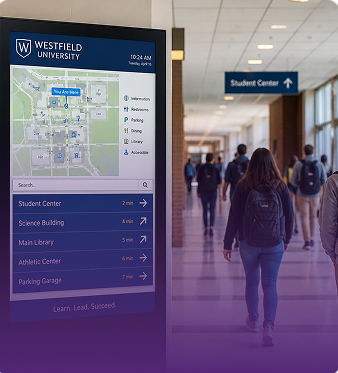
Campus digital wayfinding UK universities install is one of the most valued uses, especially during open days, enrolment week and exam season, when large numbers of visitors and new students arrive at once. Interactive campus displays UK institutions place at entrances and hubs let people search for a room or a service and see the route on screen. Directional screens along the way keep them moving without stopping to ask.
Classroom digital display screens UK schools already own for teaching can often join the same network. Between lessons they can show the timetable for that room, reminders and school wide messages; during lessons the teacher takes control as normal. This avoids buying and supporting two separate sets of equipment.
Less than most people expect. Content can be prepared in advance, scheduled for the term, and drawn automatically from calendars, the school website or social feeds. School digital notice boards UK office teams look after normally take a few minutes a week once the initial plan is in place. Our team helps set up that plan during installation, and our UK based support desk is there afterwards.
MRG Systems has been designing and supporting communication screens for more than 43 years. Everything is built and supported in the UK, and digital signage for schools UK budgets can afford starts with a single screen and grows from there.
Schools are careful about what appears on a screen that pupils, parents and visitors will see, and they should be. LiveSpace lets a senior member of staff approve content before it goes live, restricts who can publish to public areas and keeps a record of every change. Feeds from social media or the web can be filtered so that only approved accounts appear. Nothing goes on a screen that a member of staff has not sanctioned, and anything can be removed in seconds from a phone.
Safeguarding teams also ask about sensitive information. Student information display screens in corridors and common areas should never show anything personal, and the system supports that by separating public screens from staff only screens. A staff room display can show timetable cover and duty rotas; a corridor display shows only what is appropriate for a general audience.
A primary school often starts with a single screen in the main entrance for parents and visitors, showing the week's events, reminders and celebrations. A secondary school or academy usually adds screens in the main corridor, the canteen and the sixth form area, each with content suited to that audience. A college or university builds out from there, with screens in every faculty building, the library, the students' union and halls of residence, all managed centrally with local permissions.
Our own engineers handle installation and commissioning, working around the school day and in holidays where that is easier. Screens are commercial grade, chosen to run all day and to survive the environment they are placed in. Digital signage for colleges UK estates teams manage across multiple campuses is planned as a network from the beginning, so later additions slot in without starting again.
Most schools already use a management information system, a calendar and a website. LiveSpace connects to those so that events, room bookings and news publish to screens automatically rather than being typed twice. That is the biggest saving in staff time, and it is why campus communication software UK institutions choose should be judged on its integrations as much as its design.
On cost, we are straightforward. There is hardware, installation and a platform subscription. Digital signage for universities UK procurement teams evaluate usually goes through a formal process, and we supply the documentation, security information and references that process needs. For smaller schools, a single screen is a modest purchase and we can advise on whether existing displays can be reused.
We are happy to talk through both routes and to give a written cost for whichever suits your setting.
Neither route needs a large upfront commitment.
If you would like to see what education digital signage UK institutions similar to yours are doing, we can arrange a demonstration or a site visit. Call +44 (0)1453 820 840 or send us a message through the contact page, and one of the team will get back to you quickly.