
Announcements, events and urgent notices for every school, college and university, on screens students and staff will actually look at
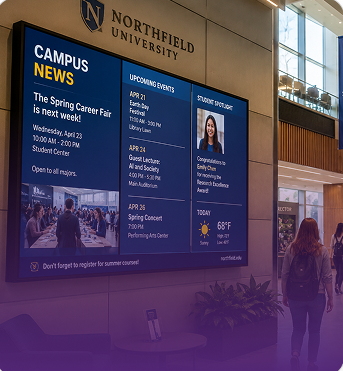
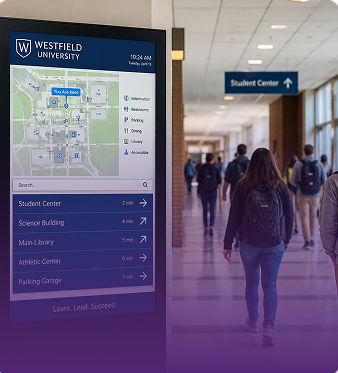
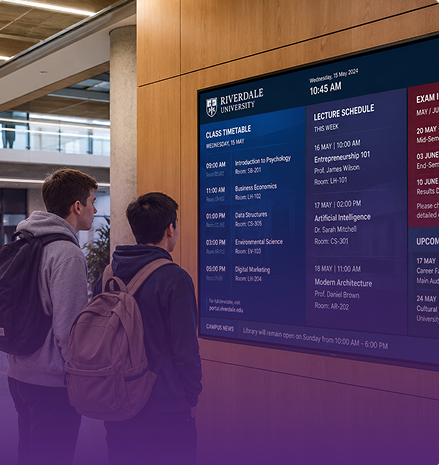
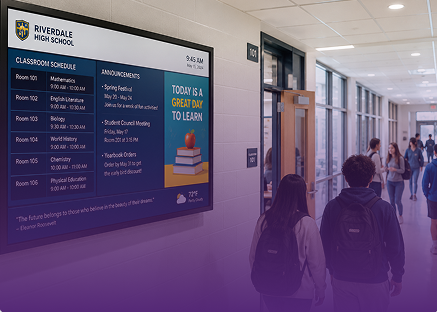
Digital signage for schools needs clear rules about who can publish and where content appears. LiveSpace puts that control in your team’s hands.
We can get important information onto screens quickly and share it across campus without the delays of traditional noticeboards.
LiveSpace is easy for our team to manage and gives us the flexibility to control different screens and content across the campus.
The screens have given us a much better way to communicate with students and visitors while also showcasing the work happening across the college.
Talk to our UK team about digital signage for schools, colleges and universities. Free consultation, no commitment.
A notice on a corridor wall gets read by a few people and ignored by the rest. Then it goes out of date, and somebody has to remember to take it down. Digital signage for schools fixes that. Every screen in the building can be updated from one dashboard, so the right message reaches people when it matters.
MRG Systems has been building screen systems in the UK for 43 years. LiveSpace is our own software, and it runs more than 25,000 connected screens. Our UK team builds it, installs it, and looks after it. Book a demo or start a free trial and see it working.
It's a set of screens around the building, all managed from one system. They show announcements, timetable changes, events, menus and visitor information. Staff use a simple dashboard to pick what shows and when. Nobody has to print, pin up or swap notices by hand. It suits a small primary school with a few screens, and it suits a group of schools sharing one platform. The same approach works for digital signage for colleges, which we cover below.
Put them where people stop, wait or pass through.
Each screen can show different content. Reception welcomes a visitor, the canteen shows lunch, and the staff room shows today's changes. Digital signage for schools works best when every screen has one clear job, and you decide what it is.
A good screen carries a mix, and the mix depends on who is looking. Common choices are:
Keep each message short. People glance at a screen for a few seconds, so one clear idea works better than a crowded slide. You can schedule content ahead, so an event notice shows up the week before and goes the day after.
The biggest risk is stale content. If the same slides run for weeks, students stop looking. Give one person the job of keeping screens fresh, and set a regular time each week to check them. Recognition for students and staff is a good way to make a screen worth reading. The same advice holds for digital signage for universities, where events change every week.
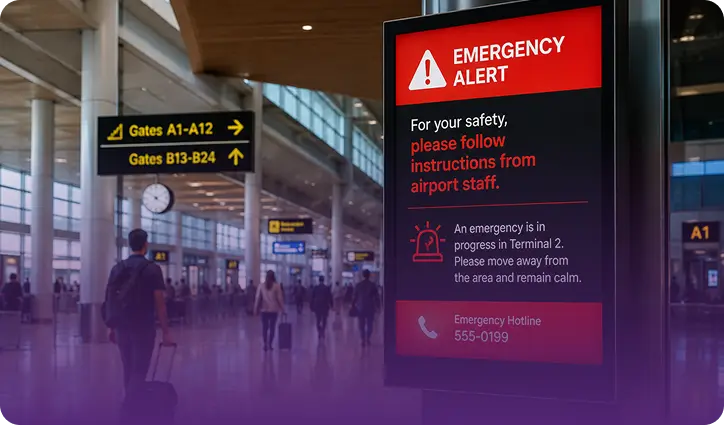
Sometimes a message can't wait. A trip is cancelled, a room changes, or news needs to reach every screen at once. With LiveSpace, you can change content in seconds, and screens keep up with real-time events, so what people see stays current. Safety messages are an important use too. If you already have an alert system or emergency procedures, tell us in the consultation. We'll look at how screens could support them.
Bigger sites have bigger problems. A college or university may have several buildings, thousands of students and information that changes every week. Digital signage for colleges and digital signage for universities do the same job as digital signage for schools: get the right message to the right people, fast. The difference is scale.
On a campus, screens can show:
LiveSpace manages every screen and location from one dashboard, so one central team can look after every building. If departments should have their own say over what appears, mention it in the consultation and we'll go through the options.
Many schools now work in groups. Each school has its own events and notices, but the group wants a shared look and a few messages that go everywhere. LiveSpace is clcloud-basedso you manage every screen in every location from one dashboard. Send one message to every school, or a different one to a single school.
It also grows with you. Start with reception and the corridors, then add the canteen and hall next term. That helps, because budgets and buildings rarely change all at once.
Teachers and office staff are busy. If updating a screen is hard, it won't happen. Your own team can schedule content ahead of time, so a week of notices can be set up in one go.
For your IT team, we monitor your network after installation and give same-day support from our Gloucestershire headquarters, plus regular platform updates. Got questions about hosting, access or data? Bring them to the consultation and we'll answer them directly. Digital signage for schools should take work off your team, not add to it.
MRG Systems works with more than 100 organisations across retail, healthcare, transport, education, hospitality and corporate workplaces. [Add one or two lines on a school, college or university client and the result, once the wording is approved.]
On a different kind of site, Places Leisure swapped posters and leaflets for more than 43 LiveSpace screens. They reported a 60 percent increase in engagement across 100,000 members. Same idea in a school: swap the notices people walk past for something they notice. [Read the case study]
Every project follows the same four steps.
We use the same four steps for colleges and universities.
Tell us how many schools you have and what your students, staff a,nd parents need to see. We'll show you how LiveSpace can do it. Book a demo or start a free trial.